

Overview
You can use the COS console to delete one or more objects uploaded to a bucket.
Deleting an Object
Directions
- Log in to the COS console.
- Select Bucket List in the left sidebar to go to the bucket list page.
- Click the bucket where the object is located to enter the bucket file list.
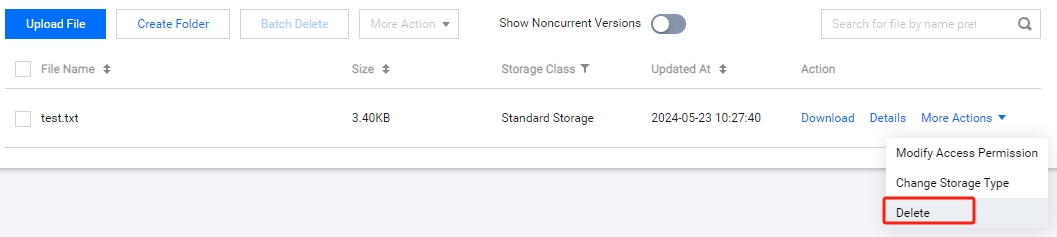
- No historical versions listed
Find the object you want to delete and click More Actions > Delete.
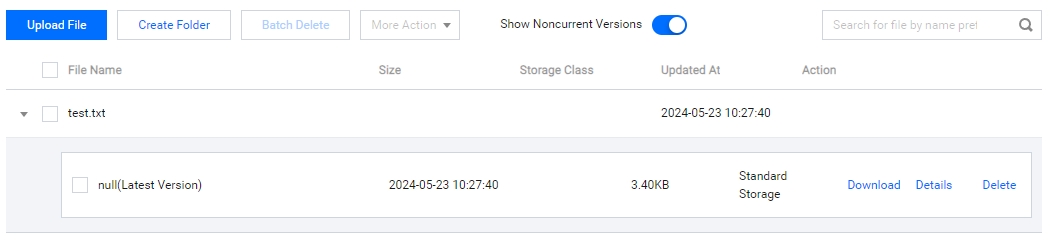
- Historical versions listed
Find the object you want to delete and click Delete.
- No historical versions listed
- The delete file dialog box pops up, click Confirm to delete the object.
Deleting Multiple Objects
Directions
- On the bucket file list page, select multiple objects you want to delete and click Batch Delete.
- The delete file dialog box pops up. Click Confirm to delete the objects in batch.