

Overview
The COS console provides a storage data overview page, where you can view data such as the number of buckets, number of objects, storage usage, number of requests, and traffic.
Note:
The overview data is real-time data except for the number of buckets. The other data is not real-time data and is for reference only.
Viewing Data Folding Line Graphs
- Log in to the COS console.
- In the left navigation tree, select Overview.
- On the Overview page, view basic usage statistics for the bucket.
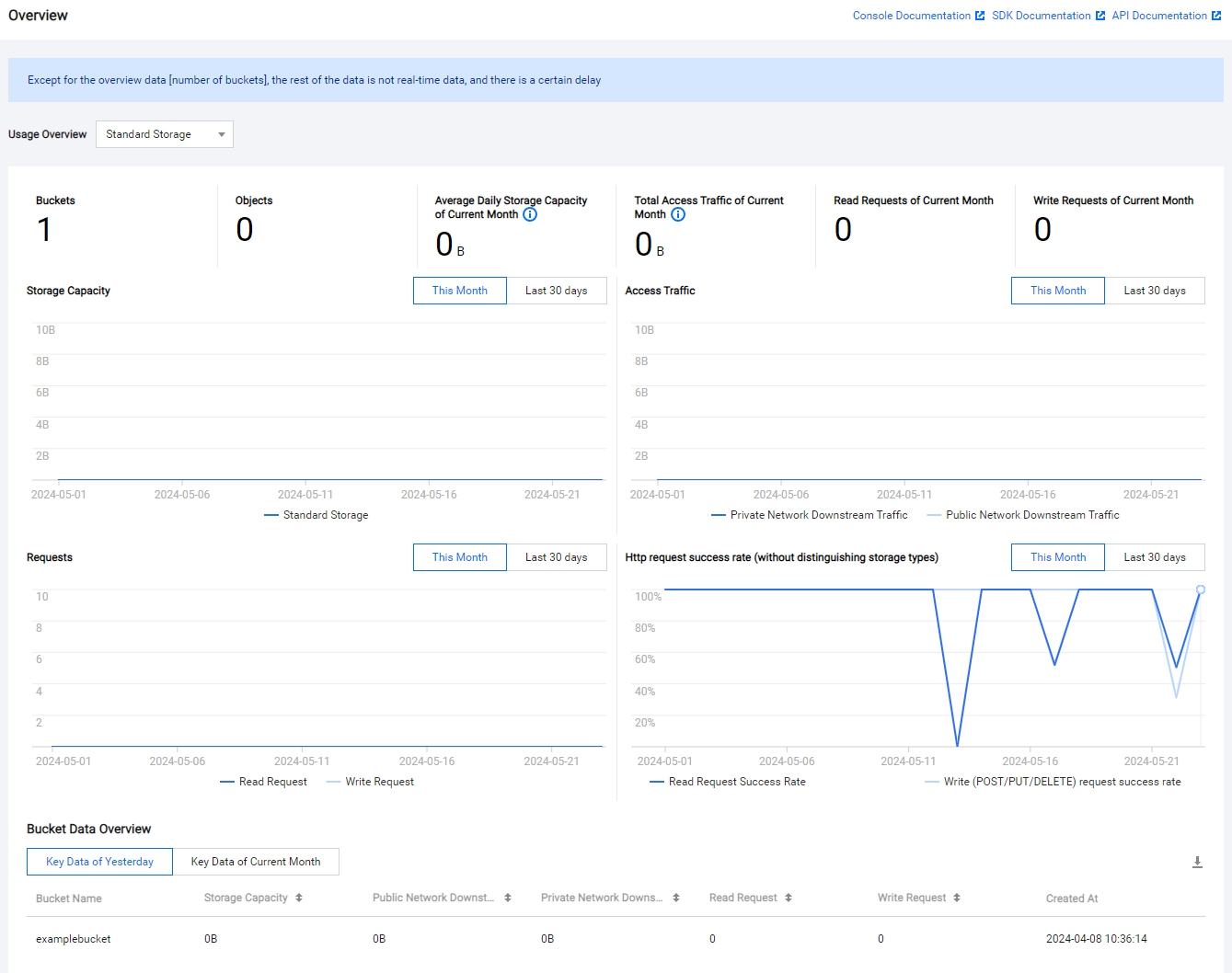
- Number of buckets: The total number of buckets that have been created.
- Number of objects: You can view the total number of objects in STANDARD and STANDARD_IA classes by selecting the class in the drop-down list.
- Average daily storage usage for this month: You can view the daily storage usage of STANDARD and STANDARD_IA by selecting the class in the drop-down list.
Exporting Overview Data
On the Overview page, click the Download button on the right side of the bucket data overview to export all bucket data information from yesterday or this month, including storage capacity, public network downstream traffic, private network downstream traffic, and read and write requests.