

Overview
You can set threshold alarms for COS monitoring metrics through Cloud Monitor's alarm policies. Alarm policies include five essential components: alarm name, policy type, alarm trigger conditions, alarm objects, and alarm notification templates.
Note:
Cloud Monitoring is a service that monitors and alarms cloud service resources in real-time. Users can use Cloud Monitor to set alarm rules for COS monitoring metrics, view alarm records, and receive alarm notifications.
Directions
- Log in to the Cloud Monitor console.
- In the left navigation tree, select Alarm Configuration > Alarm Policy.
- Click Create to start configuring the alarm policy.
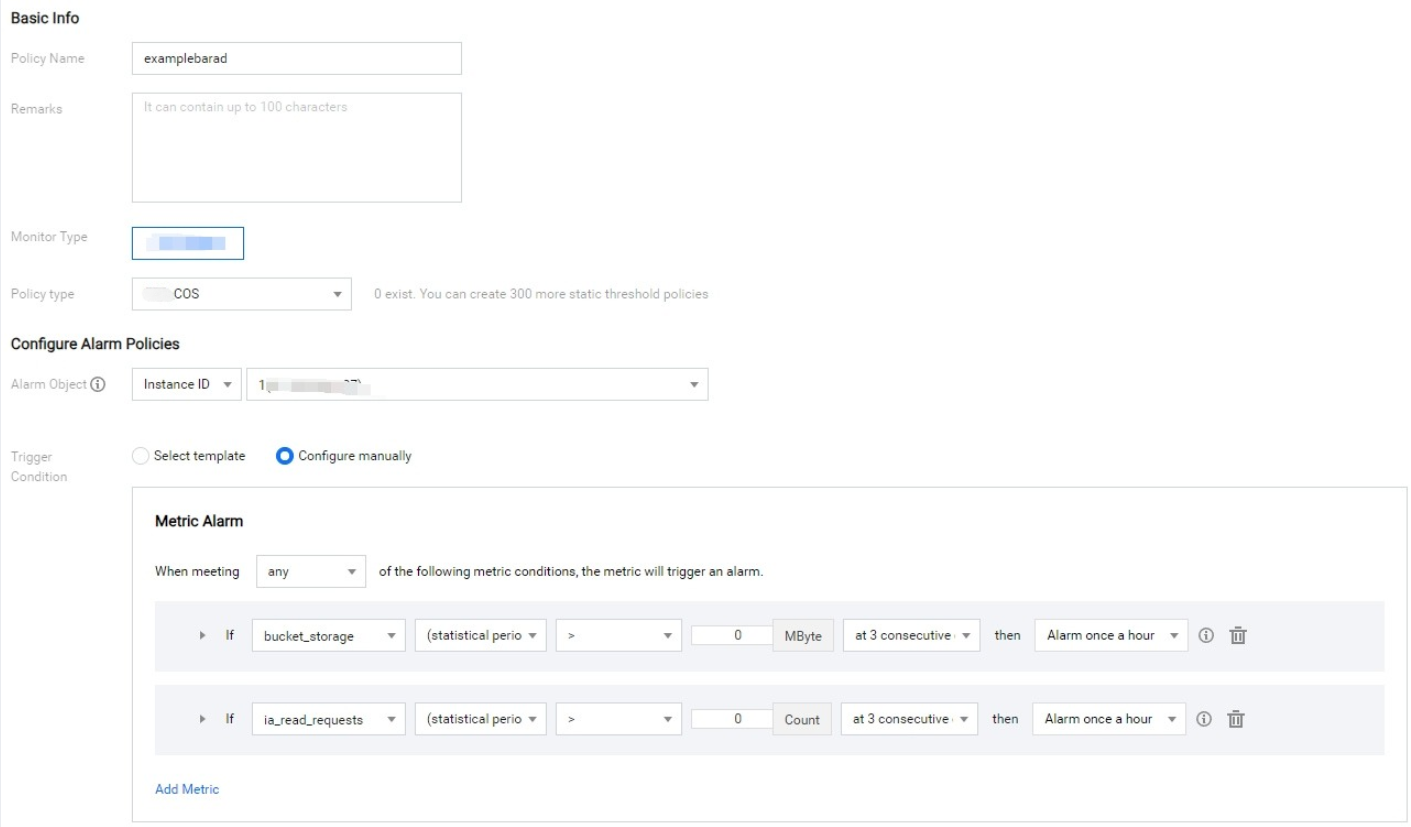
- After configuring the above information, click Complete, which means the COS alarm policy is successfully created.

- Trigger according to the configured alarm policy. You can view the alarm records by entering the policy name.
- When you need to stop monitoring alarms, just change the status of the corresponding rule to Off or click Delete to directly delete the alarm policy.
